

Hey there, smart band users! If you're like me, you rely on your smart band for everything from tracking your steps and sleep to getting notifications on the go. But one of the biggest headaches is dealing with a short battery life. You know, that moment when you're in the middle of a long workout or a busy day, and your smart band dies on you. It's frustrating, right? Well, I'm here to help. As a Smart Band Battery supplier, I've seen it all and learned a thing or two about how to make your smart band battery last longer. So, let's dive in!
Understanding Your Smart Band Battery
First things first, it's important to understand what kind of battery your smart band uses. Most smart bands come with lithium - ion batteries. These batteries are great because they're lightweight, have a high energy density, and can be recharged multiple times. But they also have their quirks. For example, extreme temperatures can really mess with their performance.
If you expose your smart band to very hot or very cold conditions, it can cause the battery to degrade faster. So, try to keep your smart band in a moderate temperature environment. If you're going out in the cold, don't leave it in your car overnight. And if it's super hot outside, don't leave it on a sunny windowsill.
Adjusting Your Smart Band Settings
One of the easiest ways to extend your smart band battery life is by adjusting its settings. Let's start with the display. The display is one of the biggest power consumers on your smart band. You can set the screen to turn off more quickly when not in use. Most smart bands allow you to customize the screen timeout. Instead of leaving it at the default 10 - 15 seconds, try reducing it to 5 seconds. This way, the screen won't be lit up for longer than necessary.
Another setting that can eat up your battery is the always - on display. While it's convenient to always see the time and other basic info, it uses a significant amount of power. If you don't really need it, turn it off. You can still quickly glance at your smart band and wake up the screen manually when you need to check something.
Notification settings also play a big role. If you're getting a ton of notifications from every app on your phone through your smart band, it's going to use up a lot of battery. You can go into your smart band's settings and choose which apps you want to receive notifications from. Maybe just keep the important ones like messages, calls, and alarms, and turn off the rest.
Managing Your Smart Band's Features
Smart bands come with a bunch of cool features, but some of them can be real battery hogs. For example, GPS. If you're not using your smart band for outdoor running or cycling where you need accurate location tracking, turn off the GPS. It's a feature that constantly uses power to communicate with satellites and can drain your battery in no time.
Heart rate monitoring is another one. Most smart bands continuously monitor your heart rate. While it's useful for getting an overall picture of your health, if you're not really into intense fitness tracking, you can set it to monitor your heart rate at intervals instead of constantly. This will save a significant amount of battery power.
Some smart bands also have features like music control, NFC payments, and voice assistants. If you're not using these features regularly, turn them off. They're great when you need them, but they add an extra load to your battery.
Proper Charging Habits
Believe it or not, how you charge your smart band can also affect its battery life. First of all, use the charger that came with your smart band. Using a third - party charger might not provide the right voltage and current, which can damage the battery over time.
Don't overcharge your smart band. Once it's fully charged, unplug it. Leaving it plugged in for hours after it's reached 100% can cause stress on the battery and reduce its lifespan. On the other hand, don't let the battery completely drain either. Lithium - ion batteries prefer to be kept in a state of partial charge. Try to keep the battery level between 20% and 80% as much as possible.
If you're going to store your smart band for a long time, make sure the battery is at around 50% charge. This way, the battery won't degrade as much during storage.
Upgrading Your Smart Band Battery
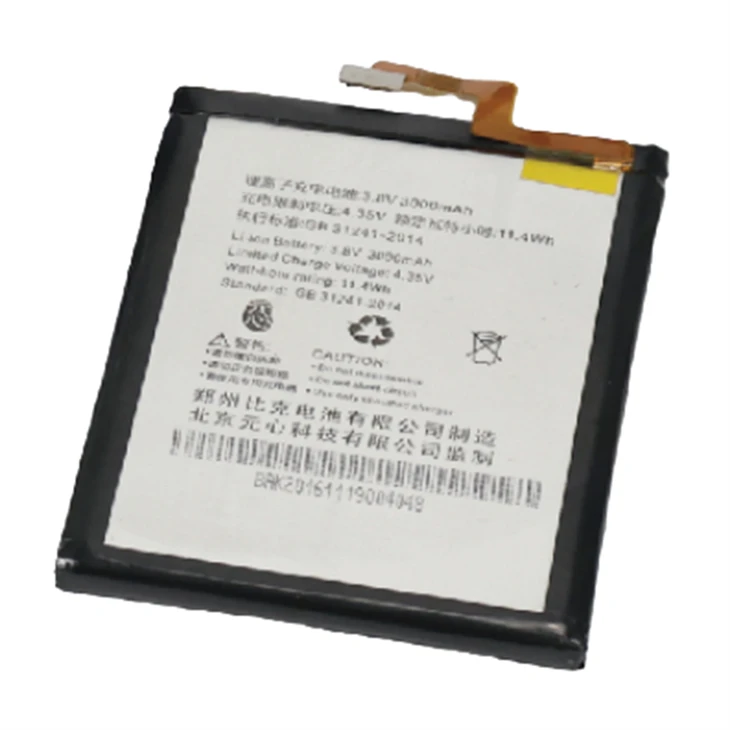
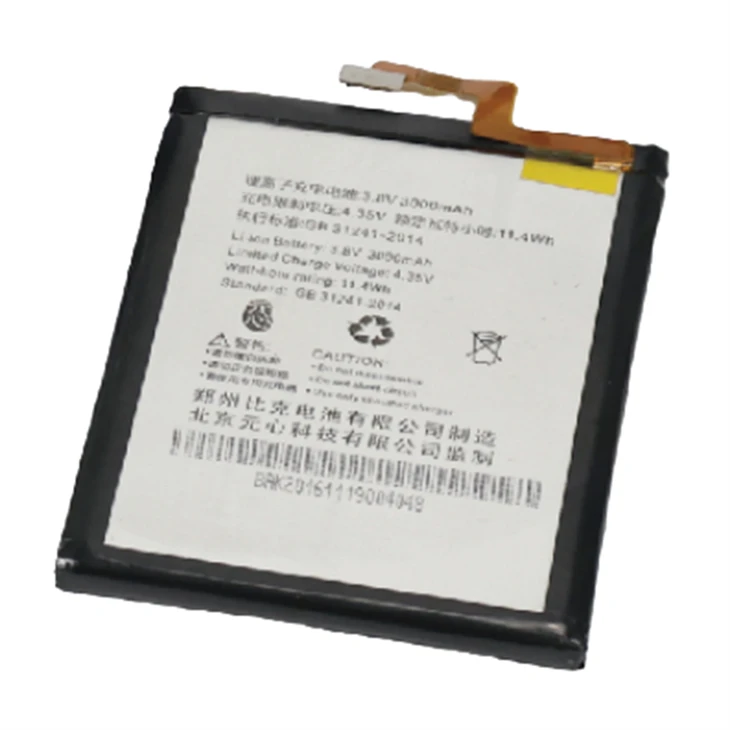
If you've tried all the above tips and your smart band still doesn't hold a charge like it used to, it might be time to consider upgrading the battery. As a Smart Band Battery supplier, I can tell you that we offer high - quality replacement batteries that are designed to fit your smart band perfectly and provide long - lasting power.
Our batteries are made with the latest technology and undergo strict quality control to ensure they meet the highest standards. Whether you have an old - model smart band or the latest one, we've got you covered.
Other Related Products
In addition to smart band batteries, we also offer a range of other consumer batteries. For example, our Portable Medical Battery Pack is perfect for powering medical devices on the go. It's reliable and has a high capacity to keep your devices running for a long time.
Our Hair Straightener Battery is designed to provide consistent power for your hair styling tools, so you can have a great hair day anytime, anywhere.
If you're looking for a battery for your emergency flashlight, our Emergency Flashlight Battery is the way to go. It's durable and can withstand tough conditions.
And for laptop users, our High Capacity Laptop Battery can significantly extend your laptop's battery life, allowing you to work or play longer without having to be plugged in.
Let's Talk Business
If you're a retailer looking to stock up on high - quality batteries, or an individual interested in purchasing replacement batteries for your devices, I'd love to chat. We offer competitive prices, excellent customer service, and fast shipping. Whether you need a single battery or a large order, we can accommodate your needs. Don't hesitate to reach out and start a conversation about your battery requirements.
References
- "Battery University: Understanding Lithium - Ion Batteries."
- Product manuals and guides from various smart band manufacturers.